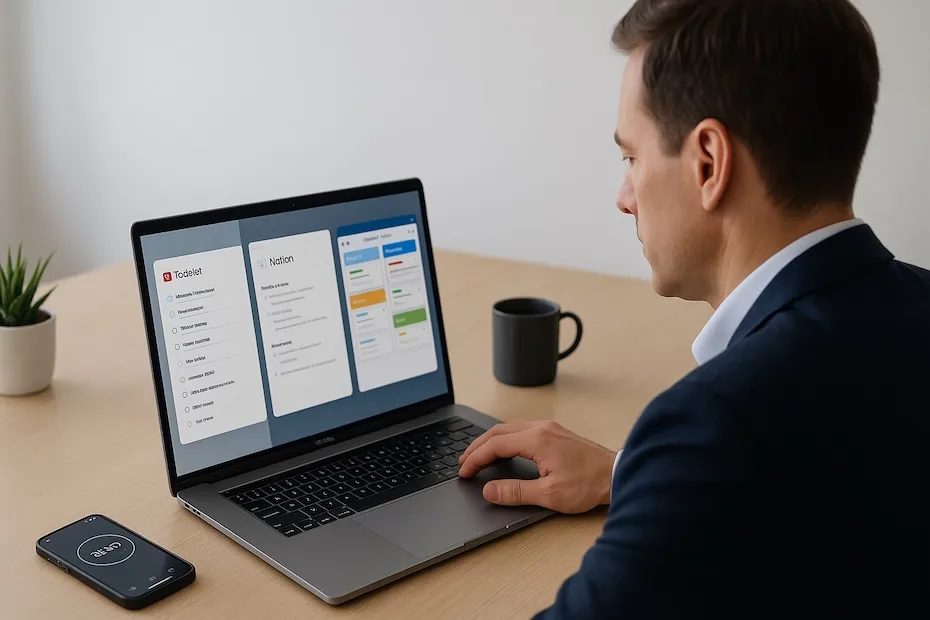
You supercharge your career by using productivity apps that sharpen your focus, streamline your tasks, and strengthen your execution. These tools eliminate clutter, reinforce planning, and help you operate like a high-performance professional.
You want apps that support your workflow across tasks, notes, collaboration, time tracking, and attention management. This guide walks you through the top 10 tools used by high-performing professionals worldwide, explaining how each app fits into a real career environment and how you can adopt them with confidence.
1. Todoist – Precision Task Management
Todoist gives you a powerful system for organizing daily work, structuring priorities, and planning with clarity. You sort tasks by labels, due dates, and priority levels, which makes your workload easier to navigate.
Its natural-language entry speeds up your planning routine. When your schedule gets dense, the ability to add tasks quickly keeps you on track. You also benefit from cross-platform sync, which ensures your priorities follow you across devices.
Professionals who want a reliable daily-planning engine use Todoist as the backbone of their workflow. It encourages disciplined execution while keeping your task list clean and actionable.
2. Notion – Centralized Workspaces
Notion becomes your command center for storing information, organizing ideas, linking documentation, and planning long-term projects. You build pages, databases, boards, and calendars inside one workspace, removing the scatter that comes from using too many disconnected tools.
You maintain meeting notes, content plans, research, client information, and personal goals in a single ecosystem. This helps you retrieve what you need instantly and reduces time wasted searching across platforms.
If your role requires organization at both macro and micro levels, Notion gives you the control to keep all knowledge accessible and structured.
3. Asana – Streamlined Team Workflow
Asana strengthens team coordination by making responsibilities visible and timelines structured. You assign tasks, track progress, and align deliverables without endless status updates.
Its multiple views—lists, calendars, timeline layouts—support different work styles. You can identify bottlenecks quickly and reinforce ownership across departments or partners.
Asana is widely used by teams that want transparency and predictable execution. When your work connects to others, Asana gives you a shared system that removes confusion and maintains momentum.
4. Trello – Visual Project Pipelines
Trello offers a visual, card-based system that helps you “see” your workflow instantly. You move tasks across columns representing different stages, creating an intuitive progress pipeline.
It supports creative teams, content teams, agile workflows, and professionals who prefer a simple visual approach. Its boards work well for editorial calendars, product ideas, client pipelines, and recurring workflows.
If you want a tool that gives you clarity at a glance, Trello helps you stay aligned with ongoing priorities while reducing the cognitive load of managing multiple projects.
5. Toggl Track – Measurable Time Insights
Toggl Track gives you the time data you need to make informed decisions about how you work. You understand where your hours go, what slows you down, and how long tasks demand in reality.
When your responsibilities grow, time tracking becomes essential. You learn which commitments require restructuring and which habits cost you more energy than expected. You gain visibility into patterns that influence performance.
Professionals who bill clients or manage multiple projects rely on Toggl Track to maintain control over their schedule and workload.
6. Evernote – Research and Long-Form Notes
Evernote is ideal when your notes are heavier, research-based, or rely on extensive writing. You capture long ideas, attach files, clip web pages, and create notebooks that keep projects separated.
It supports roles that involve documentation, writing, brainstorming, strategic planning, or detailed knowledge storage. Evernote has been a trusted tool for more than a decade because of its dependable structure and search capabilities.
If your productivity depends on deep thinking and information management, Evernote provides a stable environment for long-form content.
7. ClickUp – All-in-One Productivity Suite
ClickUp brings tasks, documents, time tracking, dashboards, and goal management into a single workspace. You customize views for personal use or team environments, giving you more control over how you visualize work.
Its strength comes from replacing multiple apps with one multifunctional system. You avoid tool overload and reduce context switching. Many growing teams prefer ClickUp because it scales easily as responsibilities expand.
If you want a unified system that keeps tasks, documentation, and progress in one place, ClickUp gives you a full productivity ecosystem without fragmentation.
8. Google Keep – Fast Note Capture
Google Keep serves you well when you want quick notes, reminders, ideas, or lists that sync instantly across devices. You can label, color-code, and pin notes for easy retrieval.
It’s ideal for capturing thoughts during meetings, travel, or busy workdays when you cannot open a full workspace like Notion or Evernote. Many professionals rely on Keep for speed and simplicity.
When you want to capture ideas without delay, Google Keep becomes a lightweight, efficient accessory to your larger productivity system.
9. Forest – Strengthened Focus Sessions
Forest helps you stay focused by using a timer-based method that encourages uninterrupted work. You grow a virtual tree by staying off your phone during work periods, which reinforces concentration.
Professionals appreciate the behavioral reinforcement. When distractions drop, your ability to produce high-quality work increases. Forest works well during writing sessions, planning periods, or any task that requires deep concentration.
If you want to train stronger attention habits, Forest adds accountability without friction.
10. Freedom – Digital Distraction Control
Freedom blocks distracting websites and apps across devices so you maintain control over your attention. You schedule block sessions or activate them on demand.
Your productivity improves when you eliminate unnecessary digital noise. Many executives, founders, analysts, and writers rely on Freedom to strengthen focus during high-stakes work sessions.
If you want a cleaner mental environment and fewer interruptions, Freedom helps you protect your workflow from digital pull.
Best Productivity Apps at a Glance
- Todoist for tasks
- Notion for notes
- Asana/Trello for collaboration
- Toggl Track for time management
Build Your High-Performance System
Your performance elevates when your tools reinforce clarity, structure, and disciplined execution. Each app gives you a different advantage—organized tasks, stronger notes, tighter collaboration, better time awareness, and distraction-free focus. Choose the apps that remove friction from your workflow and support your long-term goals. You’ll operate with more certainty, produce more meaningful output, and strengthen your career with consistent, measurable progress. Use these tools intentionally, and your productivity will become one of your strongest competitive advantages.
Originally published December 9, 2025. This article preserves its original text and byline from the website archive. Read time-sensitive statements in their publication context.
Suggest a correction