Technology innovation in schools should teach students how to judge information, solve problems, create with digital tools, use artificial intelligence responsibly, and protect themselves online, rather than train them to operate devices or memorize software menus.
If you’re asking what students should actually learn about technology, the answer starts with durable skills. Apps change, devices age, and popular platforms rise and fade. Students need habits of thinking that travel with them into new tools, new courses, and future careers. This article explains what belongs in modern technology learning and what schools can retire from the old “computer class” model.
What Is The True Goal Of Technology Innovation In Schools?
The true goal is to help students become capable problem solvers who can use technology with judgment, creativity, and care. A school is not innovating just because every student has a device or every classroom has new software.
Good technology learning starts with a learning purpose. If a student uses a spreadsheet to test a claim, a simulation to explore a science idea, or a collaborative document to refine a group argument, the tool serves the thinking. If the student only clicks through screens, completes auto-graded tasks, or copies information from search results, the technology may look modern without deepening learning. The difference is in the task design.
Schools also need to prepare students for work that will keep changing. The World Economic Forum has reported that many children entering primary school will work in job types that do not yet exist. The U.S. Bureau of Labor Statistics also projects faster-than-average growth in computer and information technology occupations over its current ten-year outlook. That does not mean every student needs the same technical career path; it means every student needs enough fluency to participate, adapt, and make informed choices.
The older model treated technology as a separate room, a separate period, and a separate checklist. Type a document, make slides, save a file, print the page. Those tasks still have a place, yet they are too small for the world students are entering. Technology innovation in schools should connect digital tools to reading, writing, math, science, art, career exploration, civic learning, and real decision-making.
Why Is Digital Literacy Foundational For Students?
Digital literacy means students can find, evaluate, use, create, and share information responsibly in digital spaces. It is foundational because students now meet information through search engines, video platforms, learning systems, chat tools, social feeds, and artificial intelligence outputs.
A digitally literate student does not treat the first result as the best answer. They compare sources, check the author or organization behind a claim, notice missing evidence, and separate advertising from information. They also learn how images, headlines, charts, and short videos can shape interpretation. This matters in every subject, not just technology class.
The Organisation for Economic Co-operation and Development found that many fifteen-year-olds can complete simple technology tasks but struggle with critical evaluation of online information. That gap explains why digital literacy needs more than keyboard comfort. A student can be fast on a device and still be easy to mislead. Schools need to teach verification, source comparison, search strategy, and responsible reuse of information as normal classroom routines.
Digital literacy also includes communication. Students need to know how tone changes in email, shared documents, discussion boards, and video comments. They should learn how to cite sources, ask better digital questions, and present information in ways that match the audience. A student who can read a chart, question a claim, and explain a decision has learned far more than a student who can only format slides.
What Is Computational Thinking, And How Is It Different From Coding?
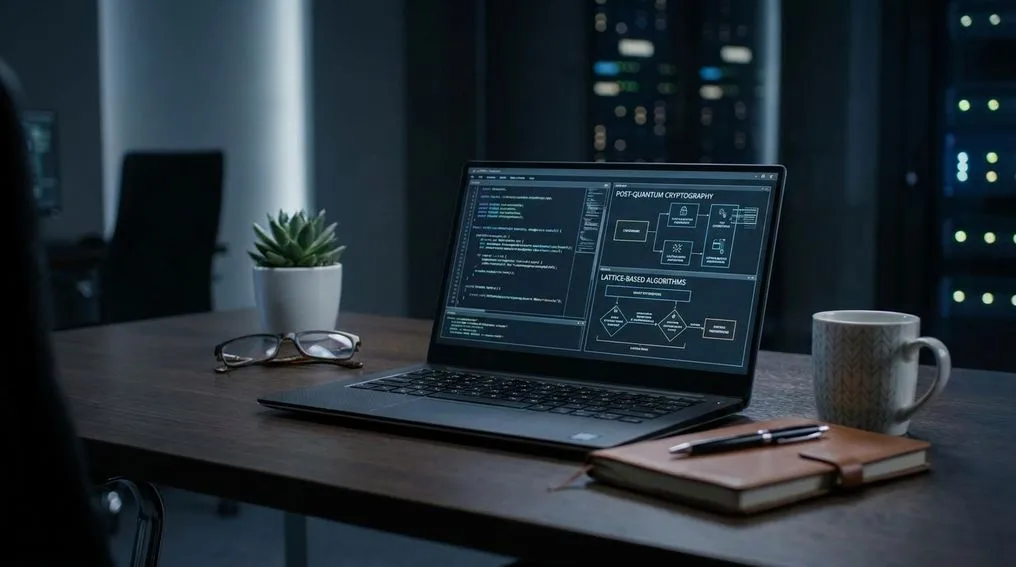
Computational thinking is the ability to break problems into parts, notice patterns, create step-by-step processes, test solutions, and improve them. Coding is one way to practice it, but computational thinking can also appear in math, science, writing, design, robotics, and everyday planning.
Students should learn coding, but coding should not become the entire technology curriculum. A student can memorize syntax and still struggle to define the problem. A better goal is to teach students how to ask, “What is the input, what process changes it, what output should happen, and how will the result be tested?” That pattern helps them across subjects.
In a math class, students can write a simple set of instructions to sort data or model a pattern. In a science class, they can design a procedure that collects observations and flags errors. In an English language arts class, they can map how a research question turns into search terms, notes, claims, and revision. These are computational habits, even when no programming language appears on the screen.
Coding still matters because it turns abstract reasoning into something students can run, debug, and revise. Code gives quick feedback: the program works, breaks, produces an unexpected result, or needs improvement. That feedback teaches patience and precision. When coding is paired with problem design, students learn that technology is something they can build with, not just something they consume.
What Should Students Learn About Artificial Intelligence?
Students should learn how artificial intelligence systems generate outputs, where those outputs can fail, and how to use them responsibly in learning. Artificial intelligence literacy should make students better thinkers, not passive users of automated answers.
A strong artificial intelligence lesson starts with plain-language understanding. Students need to know that many artificial intelligence tools predict likely responses based on patterns in training data and user prompts. They do not “know” in the same way a person knows through experience, memory, and accountability. That distinction helps students question results instead of accepting polished language as proof.
Students should practice prompt writing, source checking, bias detection, and revision. They can compare an artificial intelligence summary against primary materials, identify unsupported claims, and ask what the tool left out. They can also learn when artificial intelligence support is appropriate, when it weakens learning, and how to disclose use according to classroom rules. The point is responsible judgment.
Teachers remain central in artificial intelligence use. A tool can suggest, draft, classify, translate, or organize, but it cannot replace a teacher’s relationship with students, knowledge of learning goals, and ability to read classroom needs. Brookings has argued for rethinking education in the age of artificial intelligence, with attention to human learning rather than tool worship. Schools should teach students to question artificial intelligence outputs with the same seriousness they bring to books, websites, videos, and data.
How Should Schools Teach Cybersecurity And Digital Citizenship?
Schools should teach cybersecurity and digital citizenship as everyday safety, identity, privacy, and responsibility skills. Students need to understand passwords, scams, data sharing, respectful communication, and the long memory of digital spaces.
Cybersecurity education should begin with practical habits. Students can learn why password reuse creates risk, how multi-factor authentication protects accounts, and how phishing messages use urgency to push poor choices. They should also learn what personal data means: names, locations, images, school records, contact details, browsing behavior, and account activity. Privacy is easier to protect when students can name what is being collected.
Digital citizenship goes further than online manners. It includes understanding audience, consent for sharing other people’s work or images, intellectual property, and the difference between private messages and permanent records. It also covers how to disagree without harassment and how to ask for help when something online feels unsafe. Students need repeated practice, not one assembly or a poster near the computer lab.
The International Society for Technology in Education standards include digital citizenship among the core expectations for students. That placement matters. It signals that safe, ethical, and responsible technology use belongs inside learning, not as an afterthought after devices are distributed. A student who can protect an account, credit a creator, and pause before sharing has learned a practical life skill.
How Can Students Move From Screen Time To Creation?
Students move from screen time to creation when they use technology to design, build, test, publish, explain, and improve work. Passive use keeps students busy; creative use makes them responsible for choices and outcomes.
Screen time concerns are real because many students already spend long hours with entertainment media. Common Sense Media has reported that teens spend many hours per day on screen-based entertainment, with only a small share of that time spent creating. Schools should not copy passive media habits into the classroom. They should shift students toward production, analysis, collaboration, and reflection.
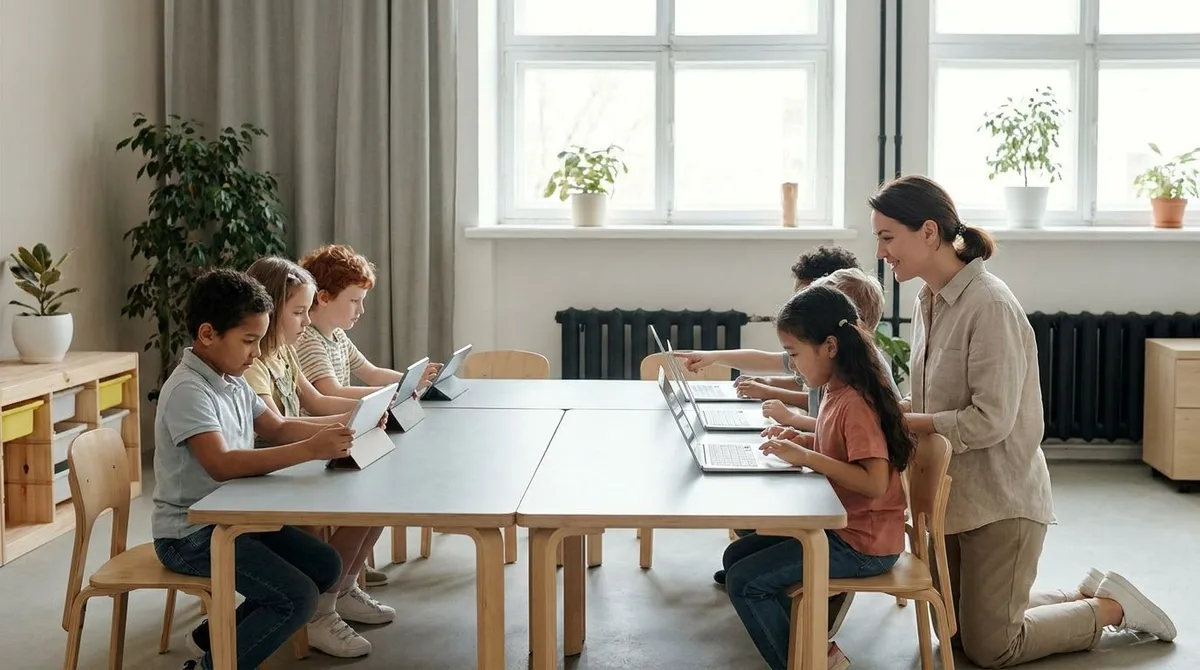
Project-based technology learning can make that shift visible. Students can collect local data, build a model, create a podcast on a researched topic, design an accessible website, program a simple tool, or use digital mapping to explain a community issue. The teacher’s role is to set standards for evidence, quality, revision, and teamwork. The technology becomes the workbench, not the lesson itself.
McKinsey has reported higher performance in assessments of twenty-first-century skills for students who received project-based technology learning. That finding fits what good teachers already see: students learn more when they have to plan, test, revise, and explain. Creation also builds confidence. Students stop seeing technology as a finished product handed to them and begin seeing it as material they can shape.
Why Does The Digital Divide Change What Technology Learning Looks Like?
The digital divide changes technology learning because access is not just about having a device. Students also need reliable connectivity, quality instruction, accessible tools, technical support, and chances to take advanced courses.
Code.org has reported that just over half of United States high schools offer a computer science course, with lower access for students of color and students from low-income communities. That gap affects opportunity. If advanced technology learning depends on a student’s ZIP code, schedule flexibility, device quality, or family resources, schools are not giving students a fair start. Access to meaningful instruction matters as much as access to hardware.
Equity also shows up in task quality. A student with limited access may get drill software and test prep, while another student gets robotics, design tools, computer science, and mentorship. Those are very different versions of “technology in school.” Schools should review who gets creative, advanced, and career-connected technology learning, not just who logs into a platform.
Addressing access also means designing for students with different learning needs. Technology can support reading, writing, translation, organization, and communication when chosen carefully. It can also create barriers when tools are confusing, inaccessible, or poorly matched to the learning goal. A future-ready school asks who benefits, who is left out, and what support is needed before calling a tool successful.
What Teacher Training Makes Technology Innovation Work?
Technology innovation works when teachers receive ongoing training tied to curriculum, student needs, and practical classroom design. One-time tool demonstrations are not enough.
Teachers need time to compare tools, build lessons, test workflows, and discuss student work with colleagues. They also need support in setting boundaries: when to use devices, when to close them, when collaboration helps, and when quiet thinking works better. Good training respects teachers as designers of learning. It does not treat them as technicians expected to push buttons on demand.
Professional learning should focus on questions teachers face daily. How can students evaluate a source? How can a math model become more visual? How can artificial intelligence support drafting without replacing thinking? How can a digital discussion raise participation without lowering quality? These questions lead to better choices than vendor-led sessions centered on feature lists.
School leaders also need to protect time for planning and feedback. A new learning platform, coding program, or digital portfolio system changes classroom routines. Teachers need space to make those routines work for real students. Without that support, technology can become another mandate instead of a better way to learn.
What Should A Future-Ready Technology Curriculum Keep Or Drop?
A future-ready curriculum should keep core productivity skills, coding foundations, research practices, media creation, data literacy, artificial intelligence literacy, cybersecurity, and digital citizenship. It should drop isolated app training that has no clear learning purpose.
Students still need basic fluency: typing, file management, document formatting, spreadsheets, presentations, video calls, and shared workspaces. These skills save time and reduce frustration. Yet they should be taught through meaningful work rather than disconnected worksheets. A spreadsheet becomes more useful when students use it to analyze real data, not when they simply color cells.
Schools should also keep room for design thinking and maker education. Students need to define a user, build a prototype, gather feedback, and revise. Robotics, physical computing, digital storytelling, and simulations can all support that goal when they connect to subject learning. The best curriculum gives students a reason to care about accuracy, usability, clarity, and impact.
What should schools drop? Long units on a single tool menu, low-level clicking tasks, copied slide decks, and technology use that merely fills time. They should also question expensive platforms that do not improve student thinking, feedback, access, or creation. Technology innovation in schools should be judged by student learning, not by the number of dashboards adults can open.
What Should Students Learn About Technology To Be Future-Ready?
- Evaluate digital information.
- Break problems into steps.
- Use artificial intelligence responsibly.
- Create, test, and revise.
- Protect privacy and security.
What Students Should Actually Carry Forward
The best version of technology innovation in schools is practical, human, and skill-centered. Students should leave school able to question information, build with digital tools, explain how systems work, use artificial intelligence with care, protect their data, and collaborate on meaningful work. Specific platforms will change, so schools should avoid treating today’s tools as tomorrow’s curriculum. When technology learning focuses on judgment, creativity, problem-solving, and responsibility, students gain skills they can carry into new courses, new jobs, and new civic duties. That is what students should actually learn.
References
- World Economic Forum — Schools Of The Future
- U.S. Bureau Of Labor Statistics — Computer And Information Technology Occupations
- Code.org — State Of Computer Science Education
- Organisation For Economic Co-Operation And Development — Programme For International Student Assessment Results
- Common Sense Media — Media Use By Tweens And Teens
- McKinsey — How Technology Is Shaping Learning In The United States
- International Society For Technology In Education — Student Standards
- Brookings — Reimagining Education In The Age Of Artificial Intelligence
Originally published July 7, 2026. This article preserves its original text and byline from the website archive. Read time-sensitive statements in their publication context.
Suggest a correction