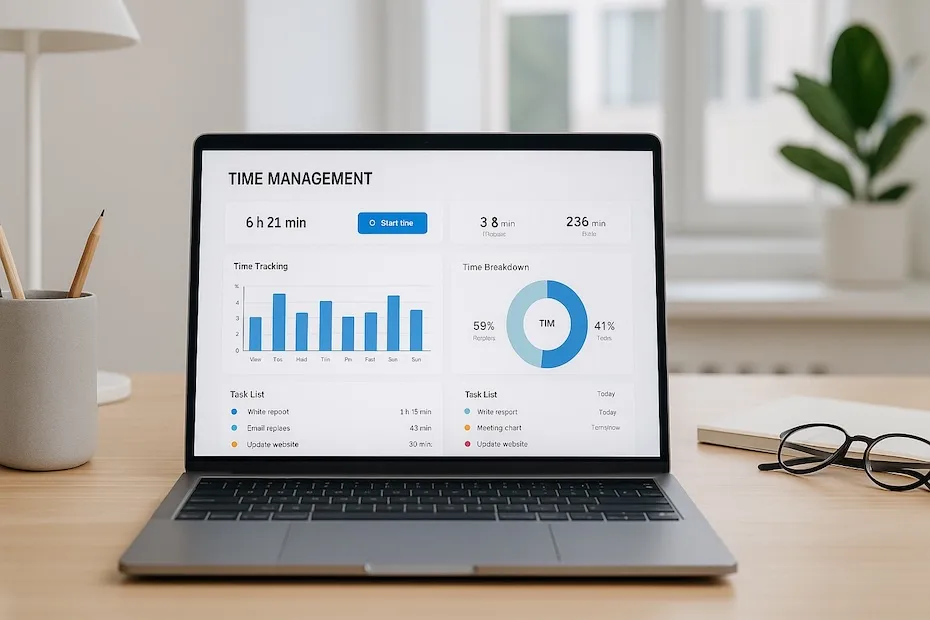
You improve your performance by using time management tools that organize your workload, sharpen focus, and help you move through tasks with precision. These tools strengthen how you plan, track, and execute your daily responsibilities so you protect your energy and produce meaningful results.
You want systems that reduce decision fatigue, keep priorities visible, and help you work with more stability. This guide walks you through the seven best time management tools used by high-performing professionals today. You’ll learn how each tool supports a different part of your workflow so you can build a setup that matches your pace and ambition.
1. Toggl Track — Time Transparency for Better Decision-Making
Toggl Track gives you a clean, reliable way to see exactly where your hours go. You activate timers or enter time manually, and the app produces detailed summaries showing how much time you allocate to tasks, projects, or clients. As a busy professional, this visibility helps you make smarter decisions about where to invest your effort.
You gain clarity on patterns that influence productivity. If certain tasks consume more time than expected, you adjust your planning. If meetings eat into deep-work blocks, you reorganize your schedule. Toggl Track helps you convert assumptions into measurable data so you refine your workflow with confidence.
You also benefit from Toggl’s cross-device sync, calendar integration, and weekly reports that reveal how your habits shift over time. That clarity transforms your time management from guesswork into deliberate control.
2. Clockify — Free, Unlimited Time Tracking for Individuals and Teams
Clockify gives you unlimited tracking, unlimited users, and unlimited projects — even on its free plan. That makes it one of the most accessible yet powerful tools available today. You log time, categorize tasks, compare projects, and export reports that reflect where your effort delivers value.
You gain flexibility whether you work alone or as part of a team. Project dashboards show how time distributes across assignments, which helps you plan ahead and assess workload. If you bill clients or manage multiple responsibilities, Clockify organizes your hours so you always maintain clarity.
You can pair it with scheduling, task management, or billing tools to create a complete productivity system. For professionals who want a simple yet scalable tracking method, Clockify becomes a dependable anchor.
3. RescueTime — Automatic Tracking and Focus Protection
RescueTime gives you a different type of advantage: it tracks behavior passively and analyzes how you use digital tools throughout the day. Instead of logging time manually, you let the software observe your work patterns. It produces daily and weekly productivity ratings that show how much time went toward focused work versus distractions.
You also gain access to focus sessions that block distracting websites or apps. This is useful when you need uninterrupted time for planning, writing, strategy, or technical work. Busy professionals often underestimate how much context switching costs them — RescueTime helps you reduce those losses.
By reviewing your data, you start seeing where the day slips away. That awareness helps you restructure habits, protect focus windows, and strengthen discipline around attention management.
4. Todoist — Precision Planning for Daily and Weekly Tasks
Todoist helps you organize commitments across priorities, projects, and recurring routines. You create tasks, set due dates, assign labels, and build a system that reflects your personal workflow. With a clear task list, you operate with more control and fewer mental distractions.
You also benefit from Todoist’s natural-language scheduling, which lets you add tasks quickly even during hectic moments. Whether you’re managing internal deadlines, client deliverables, or personal obligations, Todoist keeps your work structured so you move through your day with purpose.
Professionals appreciate how Todoist reinforces consistency. When you open the app each morning, you see exactly what needs attention. That clarity reduces stress and helps you direct your energy toward meaningful work rather than juggling loose ends.
5. My Hours — Unified Time and Project Management for High Workload Cycles
My Hours combines time tracking, project organization, reporting, and billing in one system. You use it to coordinate tasks, track hours, and generate detailed summaries that reflect output across multiple projects. This structure suits people who handle large workloads or client-facing responsibilities.
You gain control over project costs, time estimates, and effort distribution. My Hours gives you a clean workflow that ties tasks to actual time spent. When responsibilities multiply, that visibility protects you from bottlenecks and overcommitment.
If you manage clients, My Hours helps you justify hours with strong documentation. If you manage internal work, it helps you track resource allocation. In both cases, you maintain clarity about what gets done, when, and how much effort it requires.
6. Notion — All-In-One Hub for Tasks, Scheduling, and Knowledge
Notion isn’t a pure time management tool, but its flexibility turns it into a powerful command center for organizing tasks, content, calendars, workflows, and planning systems. You build pages for projects, create boards for task flow, insert calendars for deadlines, and document everything in one place.
You benefit from linking notes, tasks, and timelines, which helps you eliminate fragmentation. Instead of juggling separate apps for planning, tracking, and documentation, Notion gives you a unified space where everything connects.
Professionals often combine Notion with clocking apps or focus tools. Together they create a complete ecosystem where planning, execution, and review work harmoniously. If you want a customizable long-term hub, Notion gives you room to build a system that grows with your needs.
7. Google Calendar — Visual Time Blocking for High-Intensity Work Schedules
Google Calendar gives you the foundation for planning your day strategically. You use it to block focus time, assign meeting windows, set reminders, and build a schedule that distributes energy intelligently. When your responsibilities stretch across multiple priorities, calendar structure becomes the backbone of your workflow.
You gain clarity from seeing your day visually. Time blocking helps you commit to tasks with higher discipline. When something is on your calendar, you’re more likely to protect the time. This is essential for professionals operating under heavy loads.
By pairing Google Calendar with other tools — tracking, task management, or focus blockers — you create a rhythm that supports consistent execution. Time blocking reinforces a predictable pace that prevents overwhelm.
How Do You Choose the Right Time Management Tool?
You begin by identifying where friction occurs. If tasks slip, choose a task manager. If you lose time to distractions, use focus tools. If you lack clarity about how you spend each hour, adopt a tracker. When work grows complex, consider hybrid tools that consolidate functions.
You also assess your preferred workflow. If you thrive on structure, time blocking combined with a task manager gives you strong control. If you work fluidly, a simple tracker and calendar may suffice. If you lead teams, project-linked time tracking supports accurate planning.
The best setup is not the flashiest — it’s the one you consistently follow. Choose tools that align with your style rather than forcing you into habits you won’t sustain.
How Do These Tools Improve Long-Term Performance?
Strong time management allows you to operate with stability. You make fewer reactive decisions. You avoid overwhelm. You protect space for high-value work. Over weeks and months, these small wins compound into measurable career growth.
Time management tools help you see patterns you previously overlooked. They replace assumptions with facts, which supports better planning. They also reinforce discipline by making priorities visible and distractions controllable.
When you combine tracking, planning, scheduling, and review, you create a system that supports both daily performance and long-term growth. Over time, you work with sharper clarity, stronger control, and more confidence.
How Do You Integrate Multiple Tools Without Creating Complexity?
You start by designating one tool as your primary decision center — the place where you store priorities. A task manager like Todoist or Notion often fits this role. Next, connect your calendar to your task list with time blocks that reflect your commitments. Then use tracking tools to measure execution and adjust your pacing.
Avoid overbuilding your system. A lightweight combination of three tools — task manager, tracker, calendar — gives you more control than juggling ten apps. The goal is not to manage tools but to manage time with precision.
Professionals who maintain simple, consistent systems outperform those who rely on complicated setups that collapse under pressure.
Top Tools at a Glance
- Toggl Track: clear time visibility
- Clockify: free unlimited tracking
- RescueTime: focus protection
- Todoist: task organization
- My Hours: project clarity
- Notion: all-in-one planning
- Google Calendar: time blocking
Your Time, Your Leverage: Build a System That Amplifies Results
Your effectiveness grows when your tools support your goals, not your stress. By adopting the right time management tools and integrating them into a consistent rhythm, you create a system that protects your focus, organizes your commitments, and strengthens your follow-through. These seven tools help you operate with more control, avoid burnout, and sustain progress week after week. Every improvement in how you manage time becomes an investment in how far you can go.
Originally published December 18, 2025. This article preserves its original text and byline from the website archive. Read time-sensitive statements in their publication context.
Suggest a correction